
On the BHA tab the bottom hole assembly information is provided. To add a new BHA table click on the Create new BHA button in the left part of the screen. In the opened empty form enter the BHA name and Drilling BHA description.
Bottom Hole Assembly
On the Bottom Hole Assembly tab displayed the table with items of assembly. To add a new item to the table, click on the ITEM cell in the row and select the part from the drop-down list and specify parameters of the selected element:
-
serial;
-
PIN (DH);
-
box (UH);
-
ID - inside diameter;
-
OD - outer diameter;
-
length;
-
BHA length.
When the item is added to the table, the sketch of the element appears above the table. The serial number of the item got added to the sketch.
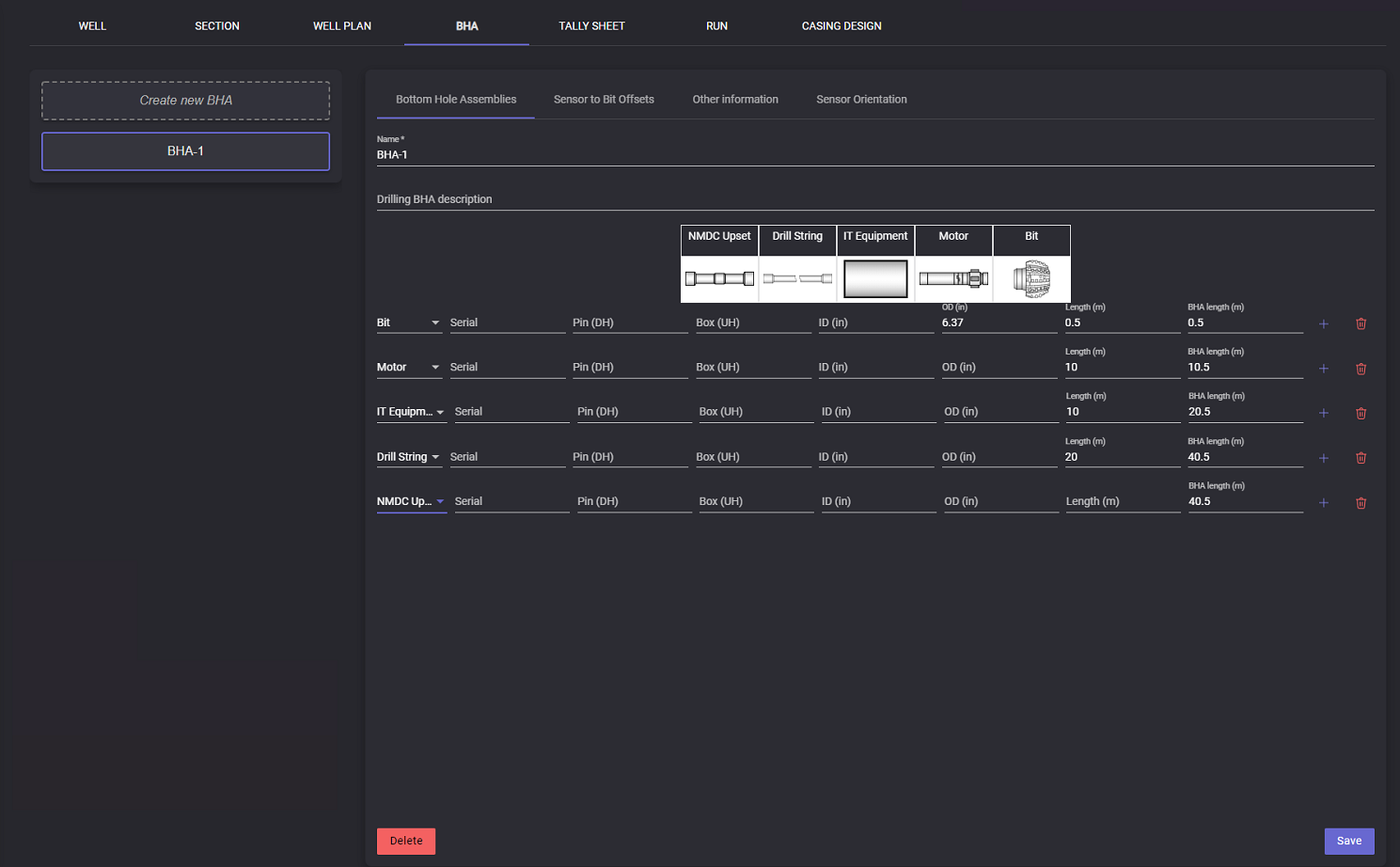
To add a new row to the table click on the “+“ button at the Actions column. A new row will be added below the current row. To delete the row click on the Delete button in the Actions column.
After creating and adding all information to the BHA table click on the Save button to save the information.
To delete the existing plan click on the delete button.
Important: Plan deleting could not be undone
Sensor to Bit Offsets
Sensors to Bit Offsets displays the information on the distance from the bit to sensor.
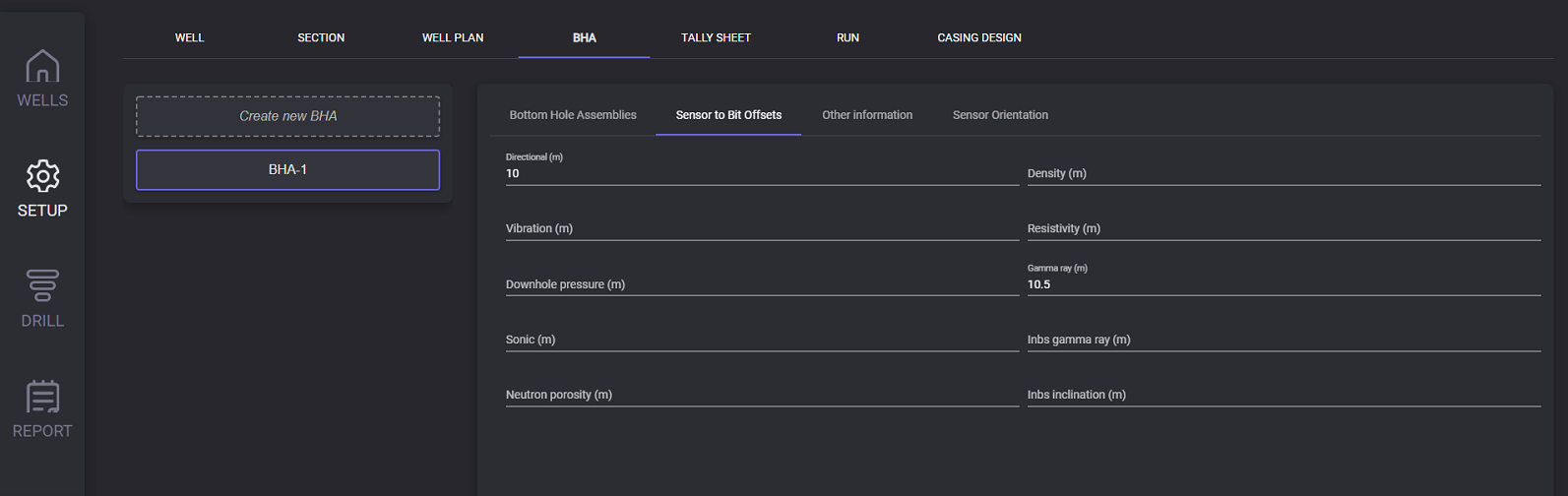
Following parameters can be entered on this tab:
-
directional (m);
-
density (m);
-
vibration (m);
-
resistivity (m);
-
downhole pressure (m);
-
gamma ray (m);
-
sonic (m);
-
Inbs gamma ray (m);
-
neutron porosity (m);
-
Inbs inclanationa (m);
Other Information
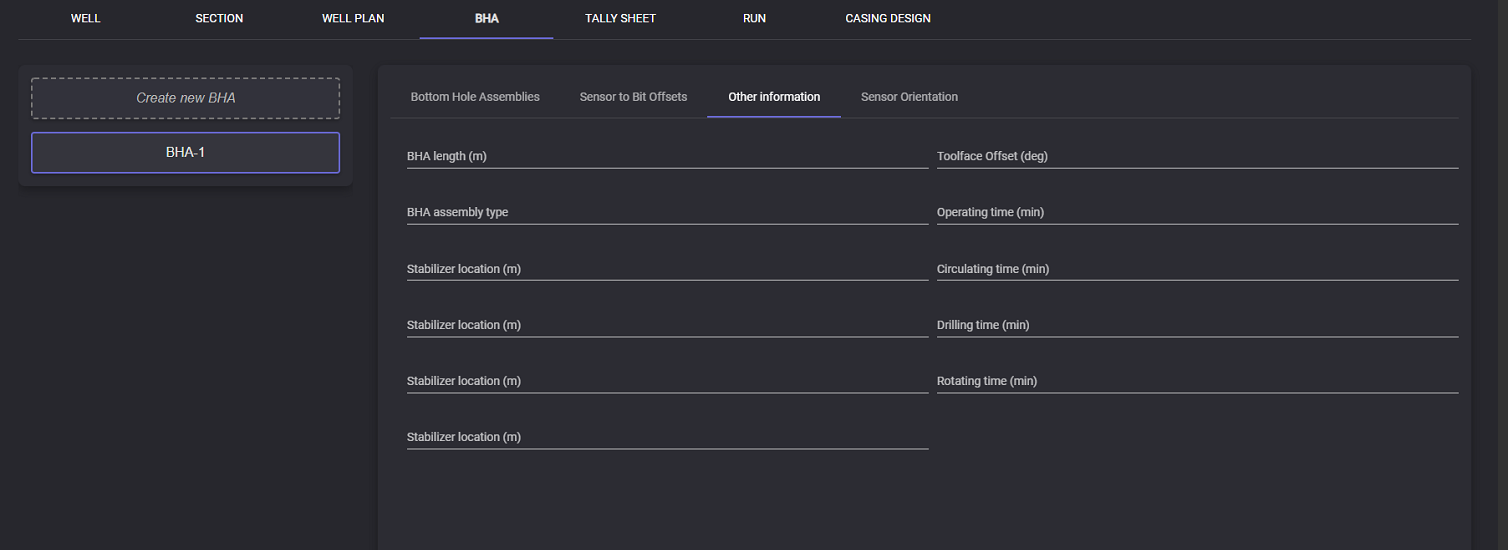
Additional parameters of the BHA can be specified on the Other Information tab: BHA length (m), Toolface offset (deg), BHA assembly type, Operating time (min), Stabilizer location (m), Circulating time (min), Stabilizer location (m), Drilling time (min), Stabilizer location (m), Rotating time (min).
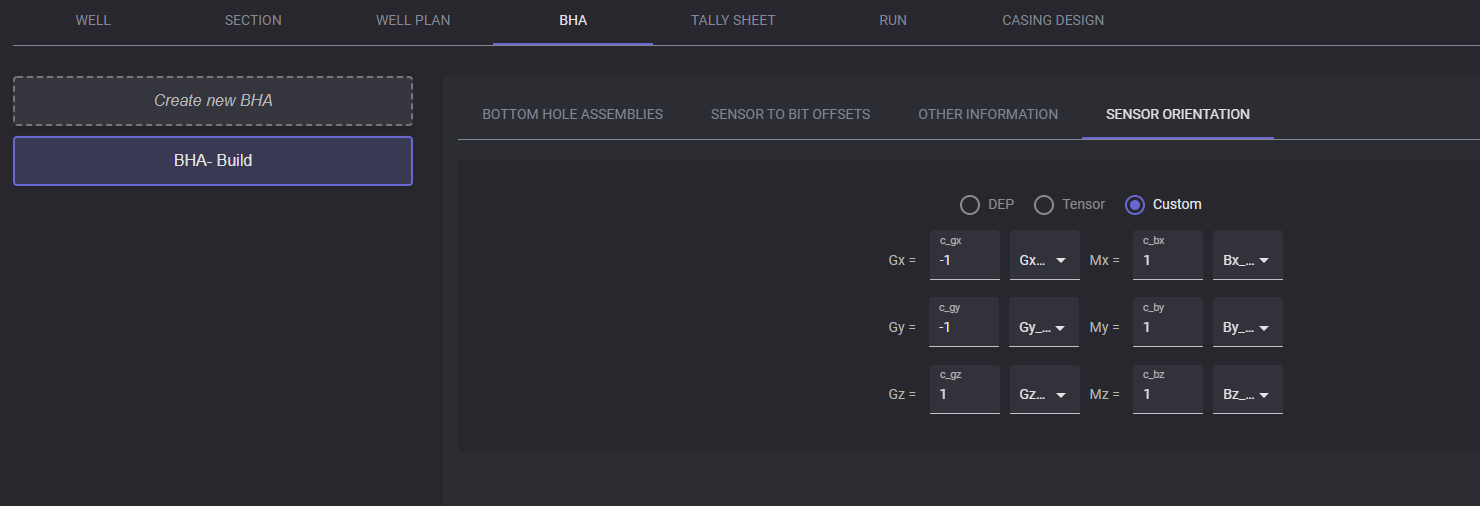
Sensor orientation