

Well Plan table contains the list of the drilling plans for the current well. To form the new plan click on the Create new Well Plan button. In the new plan form enter the name of the plan and fill in the values to the table: MD, INC, AZI, TVD, NS, EW, DLS. To add a new row to the table click on the “+“ button at the Actions column. A new row will be added below the current row. To delete the row click on the Delete button in the Actions column.
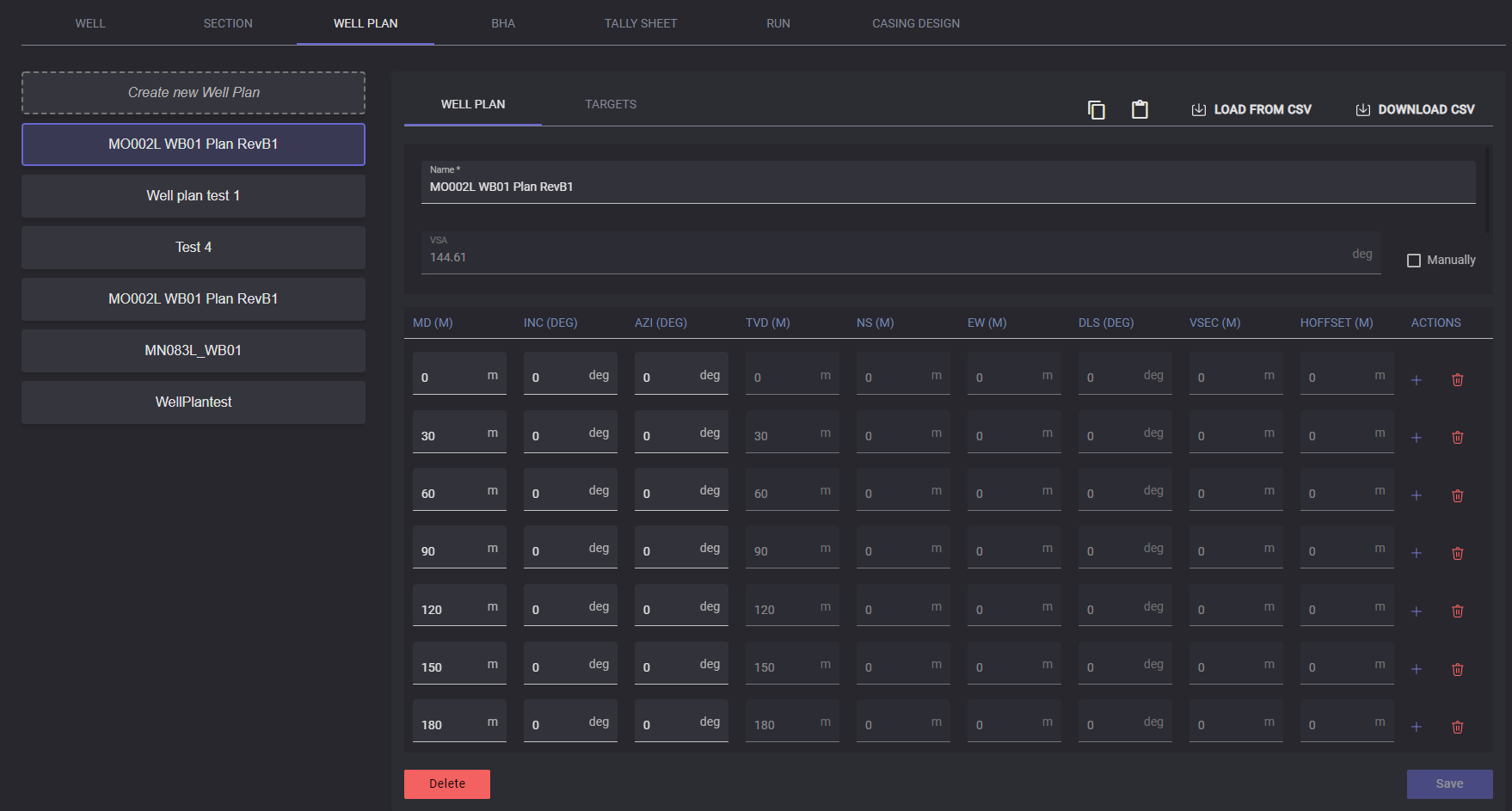
After creating and adding all information, click on the Save button to save the plan and information.
To delete the existing plan click on the delete button.
Important: Plan deleting could not be undone
To export the selected Well plan click on the Download CSV button. In the opened modal window specify the local folder to export the file. The .csv file will be saved in the selected folder.
Well plan data can be imported to the table by clicking on the Load from CSV button and in the Open file window select the .csv file containing corresponding data and click Open. Data from the selected file will be filled into the corresponding columns.
Target row for the Well plan can be created on the separate tab. Target data can be imported to the table by clicking on the Load from CSV button and in the Open file window select the .csv file containing corresponding data and click Open. Data from the selected file will be filled into the corresponding columns.