

On the Well tab displayed basic information divided into blocks. Non-filled blocks are highlighted with dashed lines. If at least one field is filled in the block the dashed highlight will be removed.
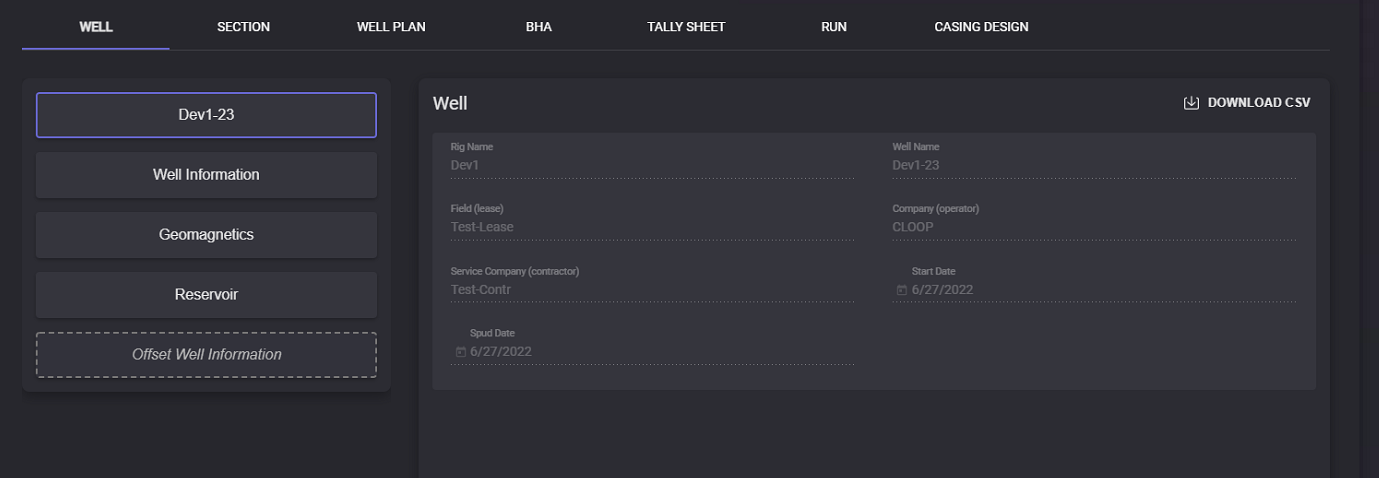
First block displays: Well Name, Field (lease), Company (operator), Service Company (operator), Start and Spud date, and Rig Name. This information filled automatically and cannot be edited. Data from this page can be exported in the .csv format by clicking on the Download CSV button.
Well Information
Well Information block contains all the location information:
-
Location of the well
-
State
-
County
-
Job number
-
Country
-
UWI
Well Head Position parameters:
-
Latitude - (in degrees) coordinate to specify the north-south position of a location on the surface of the Earth;
-
Longitude - (in degrees) coordinate to specify the east-west location on the surface of the Earth by describing as an angular measurement;
-
Altitude - (in meters)
-
East -
-
North
-
Zone
-
Geodetic System
-
Geodetic Statum
-
Azimuth Reference System
Depth Reference:
-
System Datum
-
Reference Datum Level
-
System Datum (above MSL)(m)
-
Depth Reference
-
Ground Level (above MSL)(m)
-
Drill Floor Elevation (DFE, above GL) (m)
-
Drill Floor Elevation (DFE, above System Datum) (m)
When the necessary data is entered press the Save button. All entered to the block data can be cleared by clicking on the Delete button.
Reservoir
Reservoir information block can contain following reservoir parameters:
-
Target reservoir name,
-
Zero RSD (m),
-
Target sweetspot (mTVD from RKB),
-
Target sweetspot bottom (mTVD from RKB),
-
Target floor (mTVD from RKB).
When the necessary data is entered press the Save button. All entered to the block data can be cleared by clicking on the Delete button.
Offset Well Information
The Offset Well Information block contains data on guide wells. Two values can be added for offset well: true vertical depth (TVD) and gamma. Click on the “+“ button will add a new row below the current row. To delete the row click on the “delete“ button.
When the necessary data is entered press the Save button.
Well Information, Geomagnetics, Reservoir, and Offset well information can be filled by importing the .csv file. To import data click on the Load from CSV button. In the Open file window select the file containing corresponding data and click Open. All the data from the .csv file will be added to the Well Information page. To apply changes click on the Save button.
Data of each block can be exported in .csv file. Click on the Download CSV button. In the opened modal window specify the local folder to export the file. The file will be saved in the selected folder.